Ditherista
A downloadable tool for Windows, macOS, and Linux
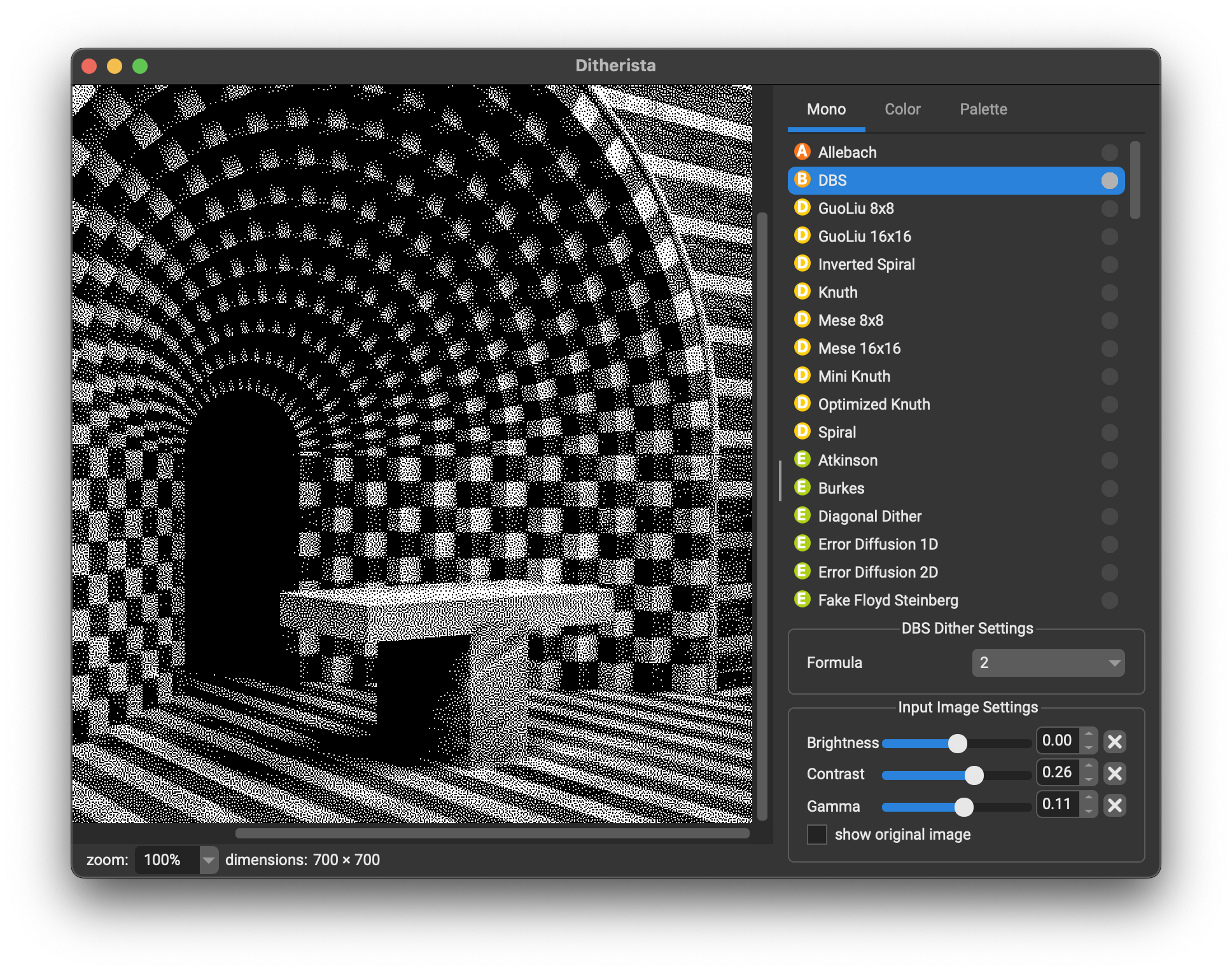
Ditherista is a small Windows, Linux and macOS GUI application for creating color and black-and-white dithered images. It features easy import and export and over 90 different dithering methods.
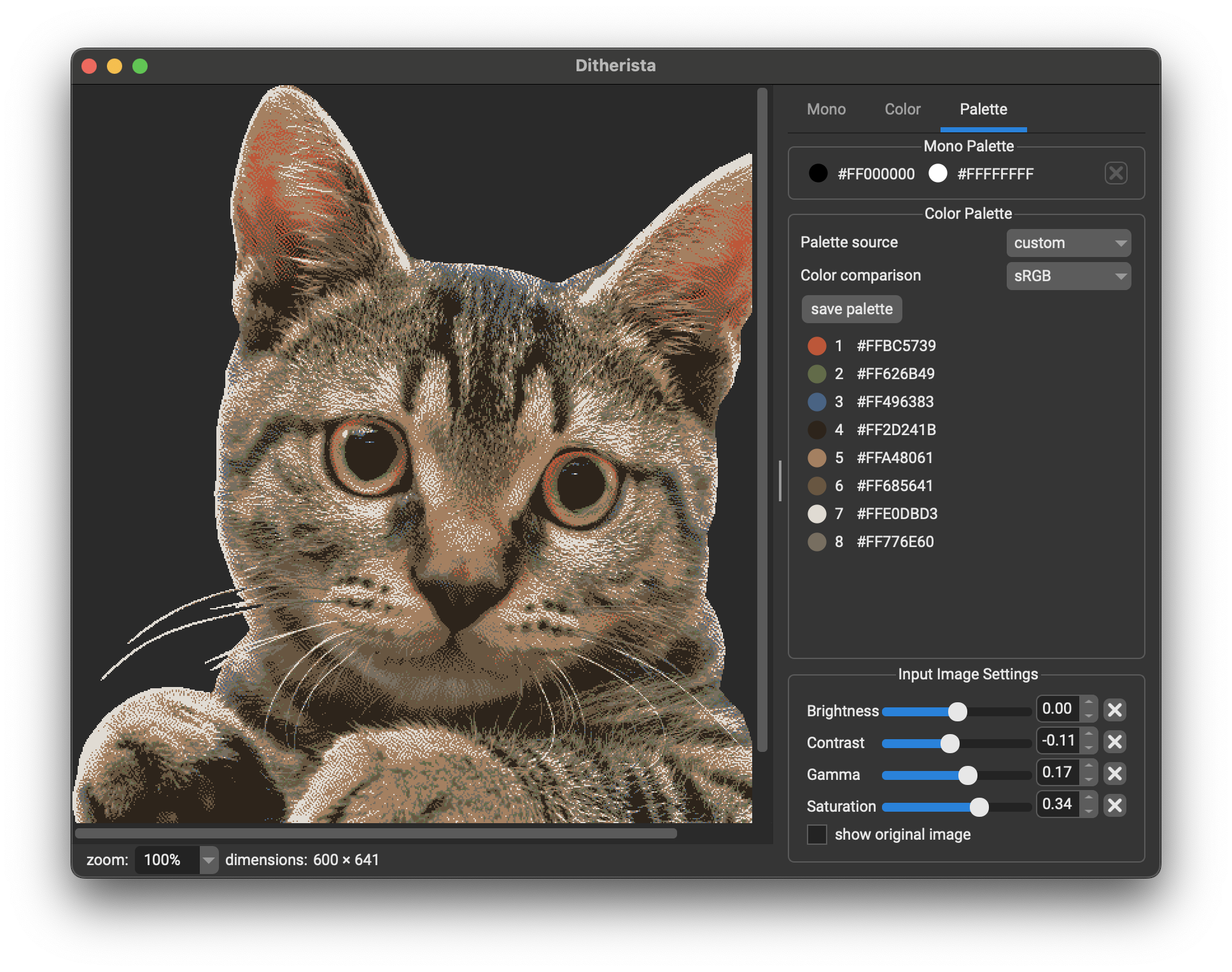
Features:
- over 90 different ways to dither your image
- drag & drop import / export
- copy & paste import / export
- load palettes from Lospec or create your own (in Paint.NET format)
- reduce palettes and customize colors
- supports image transparency
Ditherista is open source under the MIT license. You can find its source code here: https://github.com/robertkist/ditherista
Download
Install instructions
MacOS Note:
Double-click the .dmg and drag the Ditherista appliation into your system's Applications folder. If you receive an error about the app being broken, please run the following command in the Terminal:
xattr -cr /Applications/Ditherista.app
The reason for this is that I don't have a paid Apple Developer account.



Comments
Log in with itch.io to leave a comment.
Hi, what improvements are planned, and will there be support for vector graphics?
July 2026 update: the project is still alive :) I got a lot of good feedback, but life just happened and I moved jobs and continents, so it may take a bit till I have time for Ditherista gain. Hope you're all having fun using it.
I use this tool recently a lot and there are some things that I like to share about this tool.
The thing, that the actual calculation instantly running, as soon as the user select a method, I think it is a bad practice. This is just simply wastes of time. In colored mode, there are many different settings you can choose from, in countless combinations.
Like different palettes, color comparison, color reduction mode, count unique pixels, etc. Every single time, when anything changed, it just re-runs the calculation. Because of this it is impossible to select certain combinations at once. This become annoying even if we have a tiny image, just the number of redoing the dithering makes it so slow. Unnecessary wasting of time and using the computer for unnecessary calculations.
No actual calculations should run, until the user want to do it. Add buttons to start/stop(cancel) the process.
Also related to this, to make things run even more smoothly is adding a 'preview'. Like a small window, a selected area in the image or something like that. Only show a small part of the image, which can be selected by the user. Doing the dithering just in that small window/small part of the image, saves a lot of time/calculation.
There is a thing, that I really don't like is that the software defaults to given method and color. Actually to mono and the very first method. When switchhing to color-methods, it is also defaults to given palette; Macintosh(16) sRGB. That would be nice if the program can remember the last used method. Also adding a 'settings' menu and the possibility to select what should be the default. Like different dithering method, mono or colored, and also which palette or any setting to use by default.
Why the zooming works backward? I don't think I can recall anything; any another graphic software, or even a game that using the mouse-wheel zooming by default like this tool. Even after so much time using it, still, every time I zoom the wrong way, because this reversed zoom. When rolling 'forward' that should be the zoom-in, and rolling the mouse-wheel 'backward' should be the zoom-out.
I really like those countless numbers of palettes, especially that there are palettes for old homecomputers. But I really miss the Commodore Plus/4's 128(121) color palette! Please, add it!
Also I really miss that when using reduced palettes there are no option for more than 256 colors. Like the 12bit 4096 colors on the Amiga. And the 32K (15bit) and 64K (16bit) number of colors for highcolor images.
Thanks for your feedback!
To keep it quick:
- Settings are something that are on the to-do list - the app really grew in the last 12 months from mono to full color support, so there's still many polishes I'd like to do (Hence the RC "Release Candidate" label - program is good to use, but there are some rough edges). Settings being one of them.
- Stop / Cancel. Also on the to-do list.
- Scrolling: maybe the direction you mention has something to do with the OS's "natural scroll" settings. Maybe Ditherista doesn't detect those properly? I can only guess here - but you could share what OS you're using and if you have this feature enabled. That'd help me investigate.
- Selection / Partial dithering: I like that idea. I implemented a selection widget last month for something similar...
- Amiga HAM (4096 colors): I considered adding it at first, but reading into it, just adding HAM palette won't create correct looking HAM images, because the HAM mode has a few peculiar rules about which colored pixels can be next to each other. It would require writing a separate ditherer that replicates how the Amiga's hardware chooses pixel colors in HAM mode. So it's not quite as straight forward as just adding a palette. But if you say, "I don't care about accuracy" you should be able to load a Paint.NET palette with the Amiga's 4096 colors.
- more than 256 colors for reduced palettes: I need to investigate this and test this. Some of the 3rd party code I'm using doesn't support more colors... so more coding needed :P ...and then there's also the speed to consider. Also, at some point, more colors don't really give you much better results. The quality of the color dither then depends much more on color matching and the color quantization algorithms than the number of colors. The better those 2 algorithms are, the better the dither will look, even when very few colors (<32) are used.
What does this mean? The next version of Ditherista won't support more colors, but I worked on improving the accuracy and speed of color dithering (I'm testing this over the holidays...).
- Commodore Plus/4 Palette: if you have a link to a good one, I'd be happy if you can share it and I'll include it in a future release! (Doesn't have to be in Paint.NET format)
Thanks again!
About the zoom issue:
I also thought about it; that maybe it is OS-related, because I'm using Arch Linux. I know that there is no version for that particular type of Linux; I downloaded the DEB-package and extracted the files using 7Zip, and find out which files needed. I copied the 'ditherista' binary file and the 'libdither.so' file into a folder and it worked. So, maybe that mess up with the mouse. I could use Wine-emulator to run the Windows version, but that is not really a great option. I will try out and see if this reversed-zoom issue still happens.
I didn't know about that how Amiga HAM works and that it is not that simple to implement it. Accuracy is important, at least to me, so loading palette in a image-editing software is not an option.
About those 32K and 64K colors. I think you misunderstood why I really like to see those. It's not about that, that with more color I can get better results. It is about emulating the early 90's DOS era look when video cards can't display 24bit True-color, only 15/16bit colors. It is more about emulating that look using different dithering, to achive that kinda oldschool aesthetics. How fast or slow will be the conversion is not really a problem to me; obvioulsy because of the whole retro-thing I don't work with really large images.
Plus/4 palette:
I use the Yape emulator which is an emulator for Commodore 264 series computers. IMO this emulator has the most accurate Plus/4 colors. http://yape.homeserver.hu
There is an SDL port of it (old version but the colors looks the same), you can check the source files and find out what palette it use. https://github.com/calmopyrin/yapesdl
The VICE emulator is more of an all-in-one Commodore emulator, and this one can load palette files, and also include different palettes! It is includes the palette from YAPE; the PAL palette looks the most accurate IMO. Other palette-files (or the built-in palette) looks weird; they are too much pinkish.
https://vice-emu.sourceforge.io/
If you grab the 'vice-3.10.tar.gz' and extract it, in the /data/PLUS4/ folder you can find the 'yape-pal.vpl' palette file. That is the good one. This palette extracted from a screenshot made with YAPE. I don't know how accurate palette you can get from a screenshot. But it is defenitely easy to use, it just a text file with RGB values.
Better to check the YAPE sources to be sure.
aaaa this was just the thing i was looking for!! not only are the customization options massive but the interface is so user-friendly, this is the first application that didn't have me tearing my hair out trying to figure out what's going on. incredible!!
Thanks for the feedback - much appreciated :)
this is really cool! but why the 4096x4096 limit? can you either (1) increase/remove the limit or (2) add options to resize before and after processing please? i think it would be really cool to make fake pizel art/glitch effect with it
Some ditherers take REALLY long on larger images. With this limit it's less likely people select a ditherer and then everything freezes for a very long time.
It is not a great solution. In the future I want that users can cancel dithers that take forever. Then, in theory, users can load larger images. If they don't want to wait for dithering their 16k image, then they could just cancel the process.
So yeah, this limitation may not be there in the future.
Recently I use your tool a lot, and it is already annoying that the ditherig actually instantly running when you select a method.
Simply just don't run, start, calculate (or how I can say it) the dithering; just select it. Add a button to actually activate the calculation, so there will be no issue about freezing. I think the best solution would be that adding two buttons; one to actually run the calculation and obviously a cancel button. This eliminate the issues with large images.
"Over 90 different dithering methods..."
This application is simply the best for making dithered images.
thanks!
oh this is awesome, thank you!
you're welcome! thanks for the feedback